

Griljor Takes Shape — Combat, Click-to-Move, and the Lobby
In the first post I wrote about how Claude Code and I rebuilt the asset pipeline, a static room renderer, and a tiny WebSocket scaffold for Griljor — the 1989 multiplayer game I made with friends in college. By the end of that post I had two browser tabs running around the same map, but there was nothing to do in there. You could walk. That was it.
This post covers the stretch where it became an actual game. Combat, inventory, doors and keys, click-to-move with pathfinding, and a redesigned lobby with live avatars. I’m still letting Claude write every line of code that ships. My job is planning, prompting, and — by far the most important part — playing the thing after each change.
Phase 4 — Combat: weapons, projectiles, and death
Adding combat was the first phase where I noticed Claude really benefiting from the legacy source. The original C client had a missile system with a “clicks per move” tick model and a MISSILE_SPEED_FACTOR constant that didn’t make any sense in isolation. Claude found both in legacy/src/missile.c, read enough surrounding code to figure out what they meant, and derived a clean formula for the new server:
msPerStep = max(50, round(2500 / (speed * 2.2)))That formula is now in server/src/session.ts. The server computes a Bresenham path from the shooter to the target tile, caps it at the weapon’s range, stops at the first non-permeable cell, finds the first player along the path, broadcasts a MISSILE_START with the whole path, and then schedules damage and MISSILE_END with a setTimeout for the travel time. The client just steps a sprite through the path on its own timer at the same msPerStep. There is no per-tick network traffic for projectiles in flight — once you have shot, everything that’s left is local animation.
This was also the first place where Claude proposed a subtle thing I would not have asked for: directional sprites. Some bullet objects in the original game had a directional flag — the bitmap was authored facing up, and the client was supposed to rotate it to point along the projectile’s direction. Claude noticed the flag while reading the object definitions, asked me whether to honor it, and added a ctx.save / rotate / restore around the sprite draw with the angle computed from the unit direction vector. Throwing a knife now looks like throwing a knife.
The kill/death loop is also where I started to feel the leverage of server-authoritative state. The original game broadcast “you killed me” from the victim to the room — fine for friends on a LAN, terrible for the open web. In the rewrite, the server is the single source of truth for HP, deaths, XP, and respawn position. Cheating would require compromising the server, not the client.
Phase 5 — Inventory, tooltips, and the single active hand
The original had two hands — left and right — and a small inventory. We kept the inventory at 21 slots but collapsed the two hands into a single “active hand.” Mouse semantics simplified dramatically: left click does the thing (fire, pick up, use), right click moves. No more accidentally throwing your last grenade because you were trying to swap hands.
I had Claude lean hard on testing here. The integration test layout under server/src/__tests__/integration/ ended up covering pickup with weight limits, drop-on-occupied-tile spiral search, inventory swap, ammo auto-reload, and what happens when a player disconnects holding items (the server drops everything to the floor near their last position so the world doesn’t lose state). The full suite is at 400 tests as of this writing — 297 server and 103 client. I have not written any of them. Claude has, after each feature, and I refuse to merge until they pass.
The other Phase 5 win was rich item tooltips. Hovering an inventory slot pops a small floating card showing the item’s weapon stats, weight, capacity, and any consumable effects. The tooltip.ts module handles viewport-edge detection so a tooltip near the right edge flips left, near the top flips down. None of this was in the original — it’s the kind of small affordance you only think to add once you have a renderer fast enough that the game feels responsive, and adding it took one prompt.
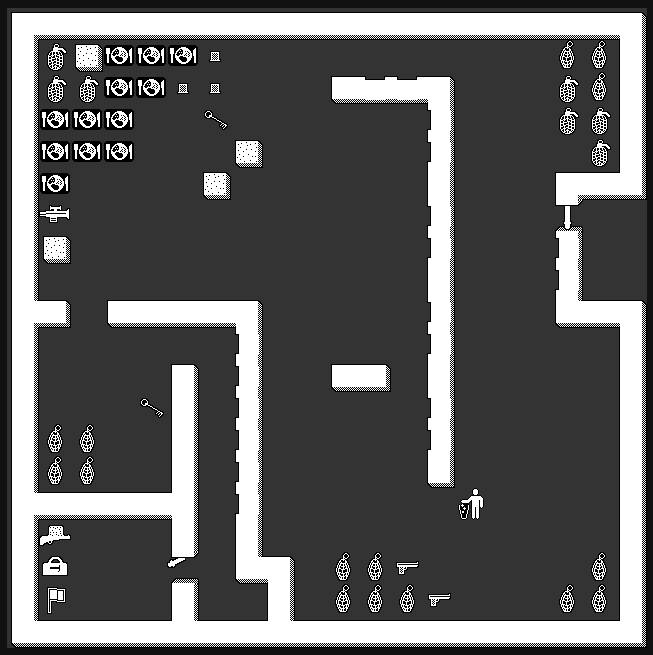
Phase 6 — Click-to-move with Bresenham and BFS
Keyboard movement is fine for testing, but the original game was mouse-driven. Right-clicking a tile should walk the player there, around walls, at a tile-per-step rate determined by the floor’s movement field.
Claude proposed a two-layer pathfinder, which I think is exactly the right shape:
- A pre-computed Bresenham path for the happy case — straight line, no obstacles.
- A BFS fallback for when the next Bresenham tile is blocked. The BFS only runs when the straight line fails, and only finds the next step, not the whole route.
This kept the per-step cost tiny. The first Bresenham path is computed once at click time and cached as an array of tiles. Each tick advances one index. If the tile is blocked, BFS finds a detour and the remainder of the Bresenham path is recomputed from there. Walking around a wall feels natural and doesn’t lag.
There were two subtle bugs Claude and I worked through together by playing:
- Exit tiles weren’t pathable. Several maps put non-walkable objects in the floor slot of exit tiles (a
laserboltorfrap bolt— artifacts of the original object indexing). Keyboard movement already checked exits before collision, so it worked, but the pathfinder treated those tiles as walls. The fix was to thread theexitMapkeys intoisTileBlockedandfindNextStepso they treat exit tiles as walkable. - Border clicks ignored the click position. Clicking the top border at column 15 while standing at column 5 walked the player straight up instead of diagonally to column 15 and then up. The handler was clamping the click to the player’s current column. One-line fix once I noticed it, but I only noticed by, again, playing.
Phase 7 — Doors, keys, and matching the right opener to the right door
The legacy game’s door mechanism is more interesting than it looks at first. Openers (keys, repair kits) carry an opens bitmask, and doors carry a type bitmask. The original use_opener in legacy/src/play.c matches them with (opener.opens & door.type) != 0 — they have to share at least one set bit. A key with opens: 1 opens doors with type: 1. A skeleton key with opens bits for everything opens everything. A door with type: 0 is universal — anything opens it.
Claude read the legacy C, wrote up the rule correctly, and then I started playing the maps and found doors that wouldn’t open with any key I picked up. The issue was that some doors in the data have type: 0 (universal in the original semantics) and some have specific bitmasks, and the first implementation was strict in the wrong direction. The fix lives at server/src/session.ts:1870 and is one line:
// Type matching: skip if either side is 0 (universal), otherwise must share a bit
if (obj.opens && doorDef.type && !(obj.opens & doorDef.type)) continue;
If the door has a specific type, the opener’s opens must overlap it. If the door’s type is 0 it’s universal and any opener works. That’s the legacy behavior, and now the right keys open the right doors. Repair kits (which are numbered: true openers) consume one charge per use. Regular keys are not consumed. There is an integration test for it under server/src/__tests__/integration/door-with-floor-item.test.ts so the matching can’t regress without me noticing.
This is one of those phases where the work was 90% reading and 10% writing. The actual code is tiny. The reason it’s correct is that Claude went and re-read play.c carefully when I reported the bug, instead of guessing.
Phase 8 — Lobby redesign: WebSocket push and a row of avatars
Through the first seven phases the lobby was the dumbest possible HTTP poll — fetch /games every five seconds, redraw. It worked but it felt dead. The phase 8 redesign added a /watch WebSocket on the lobby server: when a game registers, heartbeats, or unregisters, every connected lobby client gets a push within a couple hundred milliseconds. The HTTP poll is still there as a fallback for browsers that can’t open the socket.
The visible win was the avatar strip. Each game row now renders the actual 32×32 avatar sprite of every connected player, with a tooltip showing their name on hover. The same loadMaskedSprite pipeline used in-game draws them, so it’s the same art with the same dark/light theme. The Join button is disabled if your selected avatar is already in the game, or if the game is full. It looks much more alive than the old text-only table.
The other lobby change I’m fond of is replacing the <h1>GRILJOR</h1> text heading with a canvas that draws the title-screen letter bitmaps. The letters are a kerned, hand-drawn font from 1989; rendering them as text was a missed opportunity. drawLogo() is exported from title.ts and reused in the lobby header at quarter the height. It’s the same image at the top of this post.
Phase 9 — Small things that make it a game
A handful of smaller phases stitched the experience together:
- Map reset on empty server. Some maps (currently just
castle.json) automatically restore items, doors, and chat after the last player leaves and a short timeout elapses. New joiners get a fresh world. The implementation snapshotsrecorded_objectsdeep at construction time, since door toggling mutates them in place. - Numbered weapon charges. Guns now have ammo counts. The active hand UI shows a yellow charge badge. When a gun empties, the server scans your inventory for compatible ammo and reloads it for you — no fumbling.
- Consumables. Potions and jugs restore HP when you click your own tile while holding one. The server blocks the click at full HP so you don’t waste it.
- Opaque vs masked tile rendering. A tile like “plains” — mostly white speckled grass — was nearly invisible because the bitmap pipeline made white pixels transparent. That was correct for masked sprites and wrong for everything else. Splitting the loader into
loadOpaqueTileandloadMaskedSpritefixed it, and the tile finally looks like grass.
Reflections from this stretch
I am about twelve phases in and I want to record a few things that have held up:
The legacy code is a better reference than any specification I could write. Every time we needed an exact formula — missile speed, fire-rate cooldown, opener-door matching — Claude found it by reading the original C. Half the time it discovered the original data didn’t honor its own spec, and we could simplify with confidence. I keep re-pointing it at relevant files (missile.c, objects.h, play.c) at the start of each phase.
Server-authoritative state is the gift that keeps giving. Combat, inventory, doors, map reset, even the lobby’s player list — all simpler because there is one source of truth. The cost is that every gameplay action is a round trip, but at this game’s pacing (half-second-per-move) it’s invisible.
Tests catch logic. Playing catches feel. The missile timing tests pass. The pickup tests pass. The pathfinder tests pass. None of them would have caught “knives don’t rotate” or “the grass is invisible” or “you can’t path onto an exit tile.” For game work, the play-test step is non-negotiable and I do it after every phase.
The game is up at griljor.com. Bring a friend — combat against another human is the whole point. Next post: deploying it to a VPS, the GitHub Actions pipeline that builds and ships both server and client, and what happened when I invited a few friends from the original era back to playtest it and see what they thought.
...posts/reviving-a-1989-game-with-claude-code/) covered the asset pipeline and a static renderer. The [[second post]] turned that renderer into an actual game — combat, inventory, doors and...